Toggle Nav


Toll Free No. : 1660-01-12787

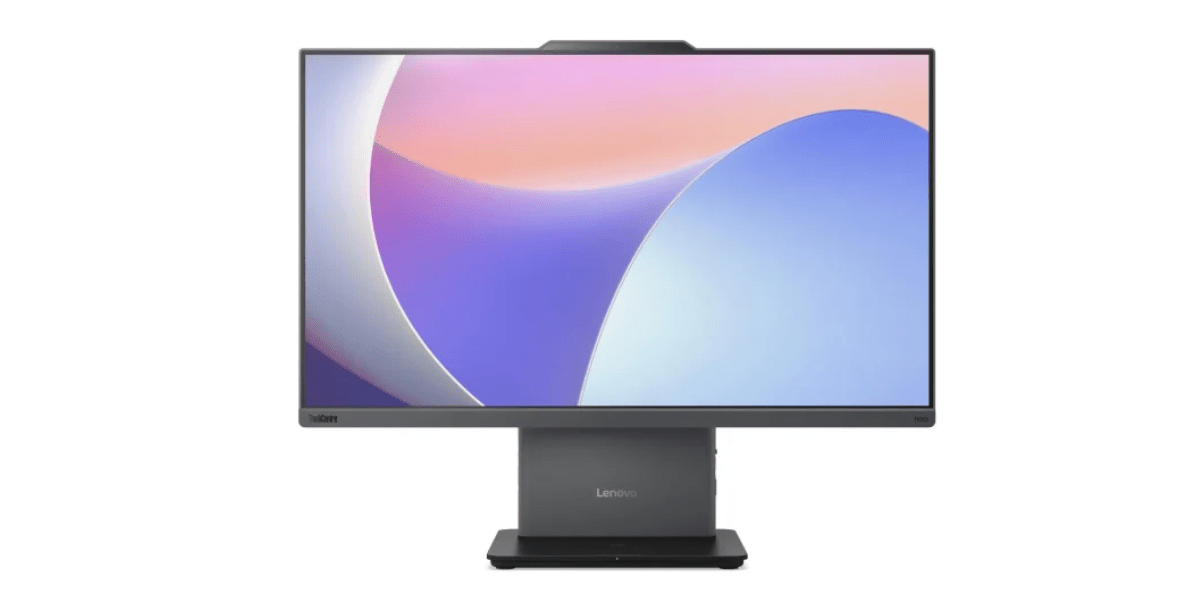
Choosing the right computer for work, study, and entertainment is more than just about performance; it is also about the size of the setup, desk space, connectivity, and ease of use. If you are concerned about all of these things, then an All-in-one (AIO) PC is one of the best options for you. This form of PC combines the main components of a computer with the display in a single unit, offering you a compact alternative to traditional desktop settings. What’s more, you can get them starting at an affordable price of just over 1 lakh in Nepal.
If you are curious about what an All-in-One PC is, then you are in the right place, as here we provide you with information on what it is, its benefits, a guide, and a price guide. So, keeping this in mind, let’s get started!
An All-in-One PC is the name given to a desktop computer which integrates the computer system and the display into one system. In a regular computer arrangement, you will need a separate monitor, a CPU Box, a keyboard, mouse, speakers, and other accessories to complete your computing experience. The All-in-One PC is an integration of these accessories into one display device.
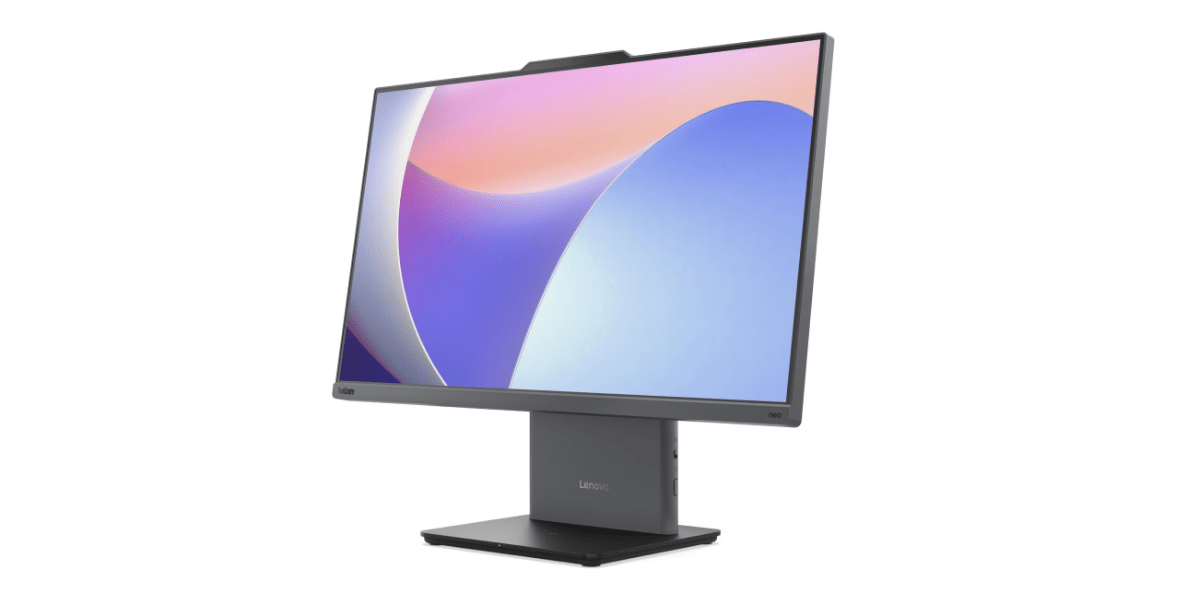
It is a desktop PC that is meant to provide the same level of functionality as a computer but in a small size. It is good for offices, homes, reception rooms, classrooms, and other working environments where the computer should occupy minimum space. There are various models of this kind of computer, such as the Lenovo ThinkCentre Neo 50a 24 Gen 5, which has various processors and memory options.
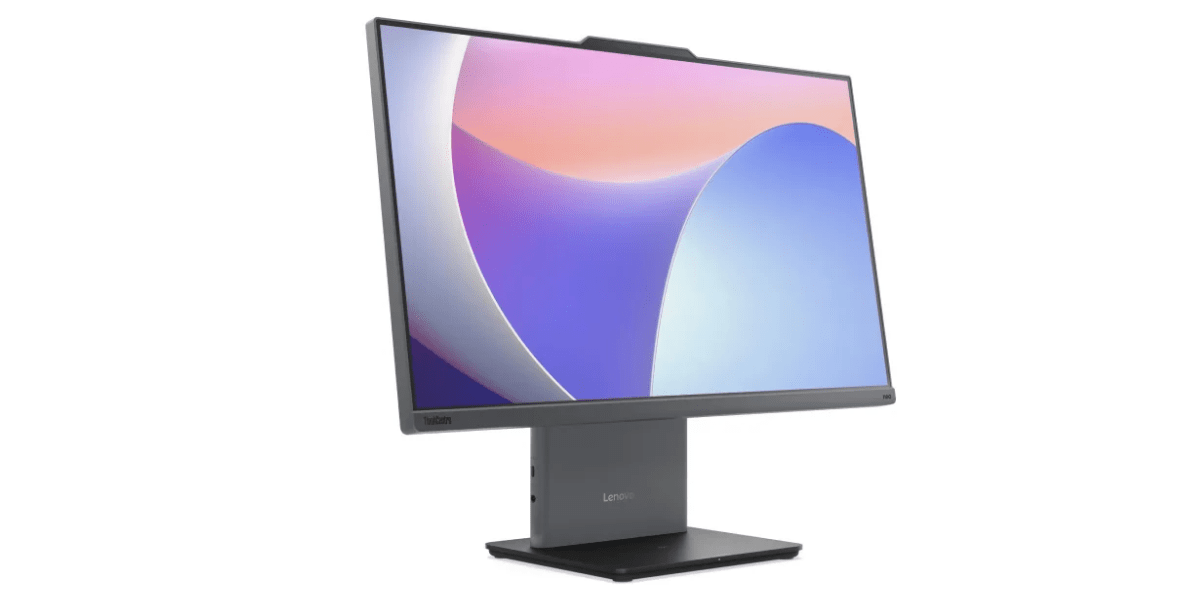
There are various benefits of using an all-in-one PC instead of a regular computer. Besides saving space, you also save on the number of accessories as well as cables which have to be used with the computer system. Various all-in-one computers come with additional integrated functions, including a webcam, speakers, wireless connectivity, among others.
One of the greatest benefits of the AIO PC is that it is extremely compact. There is no need for a computer tower to be located near or under the desk because all of the components are combined with the screen. This results in less hardware occupying the space of the desk and leaving more space free for other objects. This can be particularly helpful for offices, classrooms and other rooms, where there is less space on the desk.
An All-In-One PC may make the setup process easier. You will not have to connect a separate monitor to the computer tower or deal with several display and power cables for each component separately. Once you have everything connected via ports and plugged into power sockets, your computer will be ready for use.
An AIO PC provides the combination of a large screen and compactness. The large screen can come in handy when one needs to operate several screens and applications at once. On the other hand, the integrated design allows for a considerably more compact computer than a regular desktop.
Yet another feature that comes with the AIO PC is the fact that the necessary audio and video hardware can be integrated into the computer itself. In other words, there is no need to purchase speakers or a webcam in order to conduct video conferences, attend lessons online, and make voice and video calls. The built-in webcam and speakers ensure easy configuration of the device while offering the required hardware components for communication purposes.
The ability to establish a wireless connection allows organizing the workspace and connecting compatible devices without the need to plug cables into the desktop. Besides, some models come equipped with Wi-Fi and Bluetooth connectivity options that let users connect to wireless networks and compatible extra devices. Another feature contributing to the easy organization of the workspace is a wireless keyboard and mouse.
Another feature of the ThinkCentre Neo 50a is that of wireless mobile charging that is built into the base of the PC. You only need to place your smartphone onto the designated area for charging the device rather than using another charging station. This feature is convenient for those who normally have their phone right next to their computer when they are working. Moreover, it is also convenient to use the space provided by the AIO without having to place any other accessory on the desk.
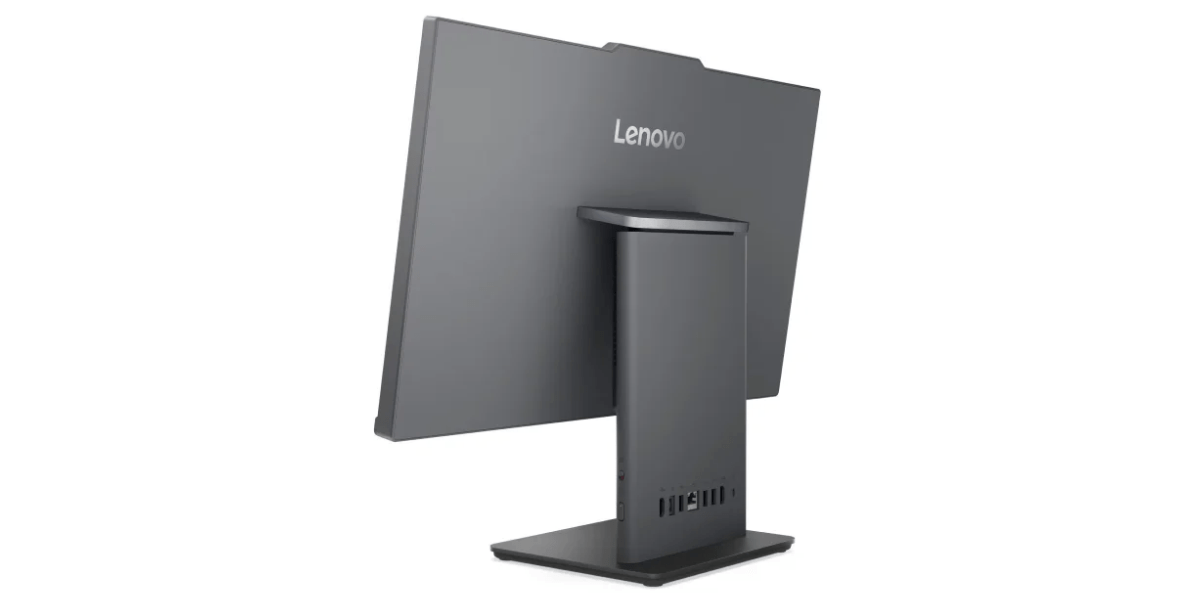
An All-in-One PC can do a lot of different tasks, be it regular daily operations or some professional tasks as well. Its compact build, a big screen, built-in camera and speakers, and wireless capabilities – all these factors allow the AIO to become a good choice for various people and places. It all depends on the specific configuration of hardware.
It is suitable for office-related and business tasks that include making documents, spreadsheets, emails, browsing the Internet, video conferencing, and running business applications. For some models, the availability of a large screen allows viewing several documents or applications simultaneously.
For a user at home, this type of PC can serve the purpose of browsing the Web, watching videos, using social media networks, purchasing things, conducting video calls, making documents, and performing other tasks. It can also be a good option because all devices, including the computer itself, its display, speakers, and webcam, are included in one package.
For students, an All-in-One PC can serve the purpose of taking online courses, studying, doing assignments, presenting their work, making documents, and using educational portals. In-classroom studying becomes convenient due to the presence of the webcam and speakers, as well as a large screen, which serves as an ergonomic environment for studying materials and opening several windows.
Depending on the processor, RAM, and software that is used, an All-in-One PC may also be used for working with content like writing, basic photo editing, graphic designing, and video editing. With the higher-performing Core i5 and Core i7 processors, there is more computing power and more memory than the Core i3, thus making it more capable of handling tasks requiring higher computing abilities. But if your work involves 3D programs or any program where the computer will need to perform intensive graphic tasks, then a graphics card may come in handy.
The choice of an All-in-One PC may be an ideal solution for those who need high-performing and multifunctional desktops but do not like the bulky appearance of a separate computer tower and display. As components are built into the display, All-in-One PCs provide a more compact solution and are equipped with all necessary functions for business, studies, older and light games, and other activities.
The Lenovo ThinkCentre Neo 50a 24 Gen 5 PC in Nepal is available in several options and allows selecting the CPU among Core i3, Core i5, and Core i7 according to your needs and budget. All options have the 24-inch display, 512 GB SSD, Intel integrated graphics, 5 MP camera, wireless technology, and wireless keyboard/mouse. The difference in CPU and RAM affects the performance of the configuration.
Lenovo ThinkCentre Neo 50a 24 Gen 5 Core i3 is a basic version of All-in-One PCs that are made for general computer usage, office work, learning, and other purposes in everyday life at home. This product integrates Intel Core i3 with 8GB DDR5 RAM, 512GB SSD, 24" screen, Intel UHD Graphics, 5MP camera, wireless keyboard and mouse, and also has a wireless mobile charger embedded in the base.
Key Specs:
The model that has been upgraded to deliver greater performance is the Lenovo ThinkCentre Neo 50a 24 Gen 5 Core i5-13420H model for users who require greater computing capabilities when using office software or working on any task. This variant comes with 16GB DDR5 RAM and a 512GB SSD, and the same 24-inch AIO form factor, 5MP camera, Harman stereo speakers, wireless accessories, and wireless charging.
Key Specs:
Lenovo ThinkCentre Neo 50a 24 Gen 5 Core i7-13620H version is the best-performing among the three available ThinkCentre Neo 50a variants. The machine is configured with a 13th Gen Intel Core i7-13620H processor, 16GB of DDR5 RAM, and 512GB SSD memory that is ideal for heavy office tasks and multitasking applications. The machine, like others, has a 24-inch monitor, 5MP webcam, Harman stereo speakers, wireless keyboard and mouse, and a wireless mobile phone charger.
Key Specs:
The cost of an All-in-One PC in Nepal depends on several factors such as the type of processor, memory, storage, screen size, and extra features. Three versions of Lenovo ThinkCentre Neo 50a 24 Gen 5 are offered, and each of them comes with a different price. The Core i3 version costs NPR 104,900, while the Core i5 and Core i7 versions cost NPR 175,900 and NPR 198,900, respectively.
From the above information, one can determine the following price ranges:
There are several hardware and features that could affect the price of AIO PC in Nepal:
Selecting an All-in-One PC goes beyond mere comparison between prices and processor models. One needs to think about the hardware itself, screen specifications, connection options, possibilities of upgrading the machine and technical support offered by the company. The decision to purchase also depends on the nature of work one would be doing and the expected performance of the PC. Taking all the above into account before making a decision will make sure that you select the right AIO PC both for you and within your budget.
An all-in-one PC is a highly practical choice if you want a space-saving desktop for your home and office while also not compromising on functionality. From everyday computing and office work to education, the right configuration of an AIO PC can handle a wide range of tasks while also taking minimal desk space. Furthermore, you can also get them at a wide price range, going from the budget options of just over 1 lakh to over 1.9 lakhs.
If you are looking for an All-in-One PC in Nepal, explore the Lenovo ThinkCentre Neo 50a 24 Gen 5 range at Nagmani International and choose the configuration that fits your requirements. And if you want any other forms of Lenovo and Asus devices in Nepal, look no further than Nagmani International - the authorized distributor of Asus and Lenovo laptops in Nepal. Also, do check out our other blogs if you want to know more about various aspects of laptops. Thank you for reading till the end.
The difference lies in design and hardware configuration. In the case of an All-in-One PC, the screen and the computer hardware are integrated together in one device, while in a desktop PC, the screen and computer are two separate devices. This results in the compactness of the AIO computer and more possibilities for upgrades and customization of the desktop computer.
Yes, but it depends on the specific AIO computer. In some cases, you can upgrade the RAM and storage of your AIO computer; in some other cases, this task will be impossible. Before purchasing an AIO computer, you should be sure whether it supports RAM and storage upgrading.
Yes, it is a proper choice for an office computer. The AIO computer is capable of doing most office tasks such as document creation, spreadsheet work, e-mailing, web browsing, video conferencing and many others. With enough RAM and a high-performance CPU, it can handle multitasking.