Toggle Nav


Toll Free No. : 1660-01-12787

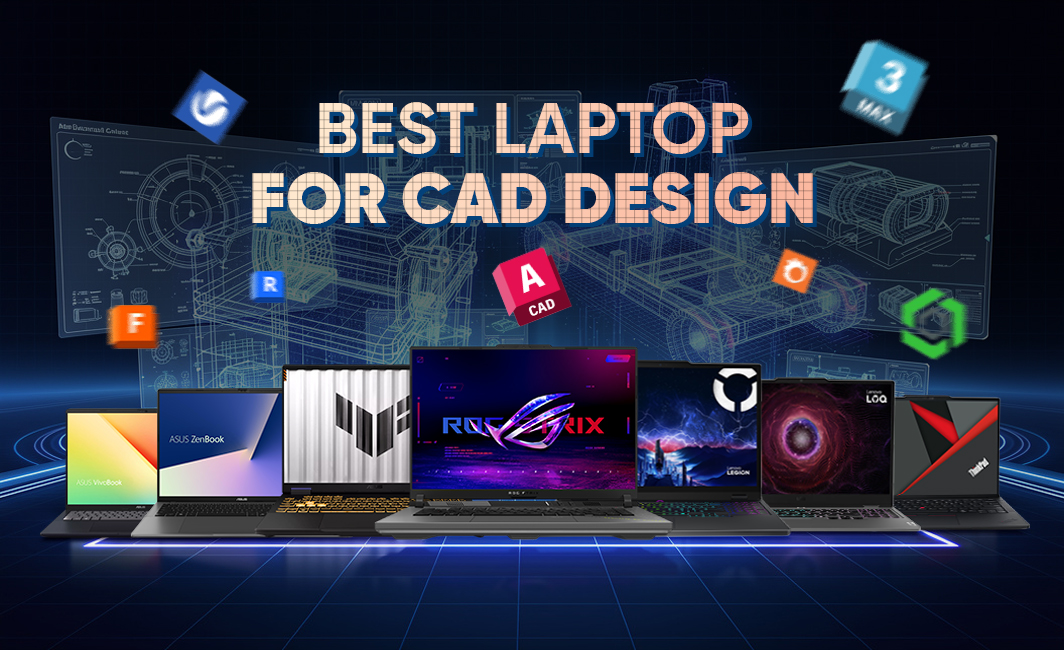
Laptops have come a long way since the days of simple devices, and now can support complex and performance-heavy software such as AutoCAD and other CAD software for those who are new to this field. AutoCAD is a CAD (Computer-Aided Design) software that is used to create 2D designs and 3D models. This software is widely used by architects, engineers, interior designers and more. However, there is one small catch - for a laptop to run CAD softwares such as AutoCAD, it needs to have a perfect balance between performance and graphical capability. This is a feature that can be a bit hard to find. So this begs the question - what are the best laptops for CAD design and AutoCAD work? Among a wide range of options, some of the best ones include ASUS ROG Strix G16, ASUS TUF Gaming F16, Lenovo Legion Pro 5 and Lenovo ThinkPad E14. But this is just a glimpse into the wide range of ideal laptops for CAD design.
In this blog, we provide you with insights into some of the best laptops for CAD design and AutoCAD work. Along with this, we also provide you with additional insights such as requirements for laptops to do CAD work, types of laptops suitable for CAD work, and common mistakes to avoid when purchasing a CAD laptop.
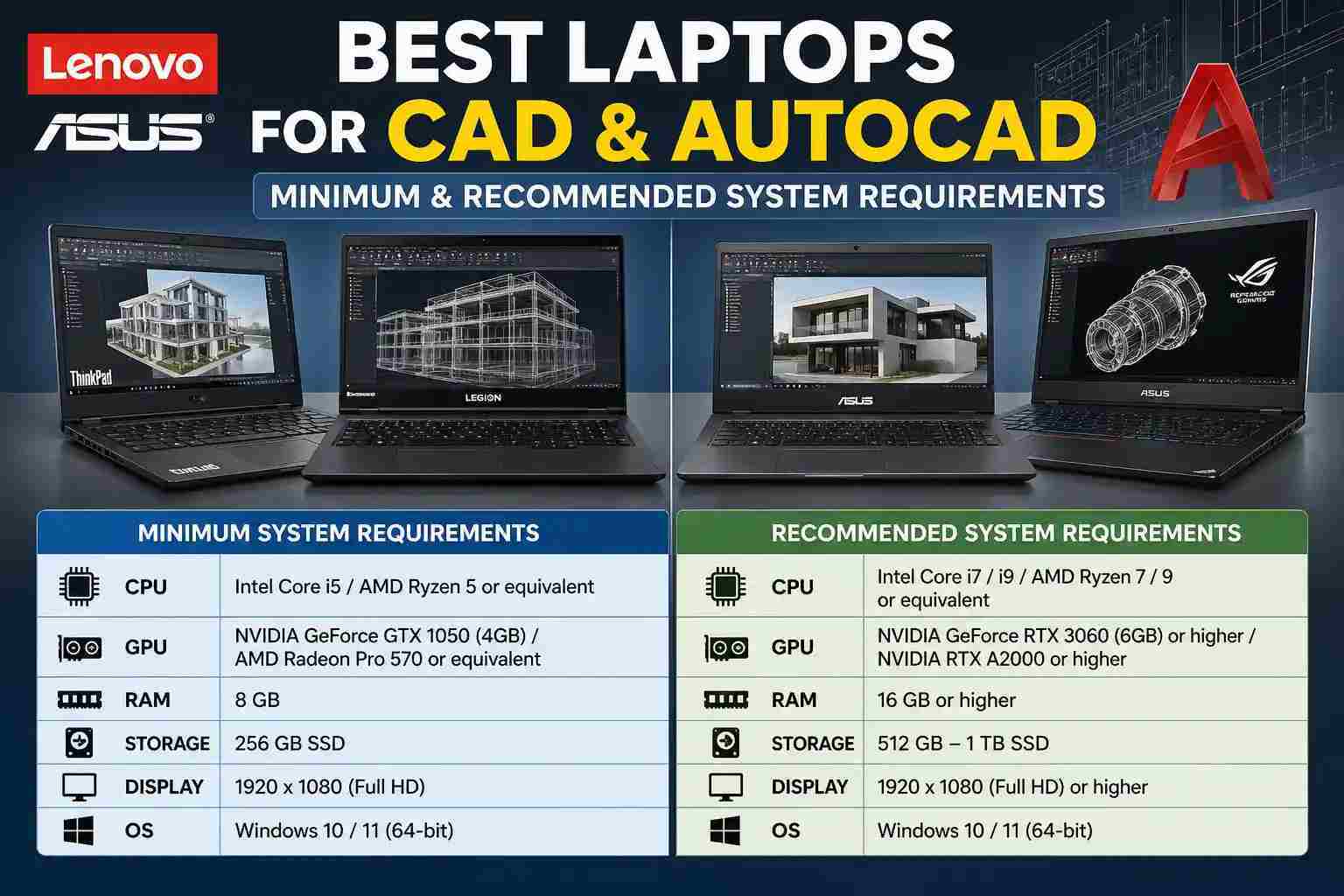
Choosing the right laptop for CAD and AutoCAD work in 2026 comes down to understanding how each component affects real-world performance. Contemporary CAD software has become increasingly demanding, necessitating a balance of processing strength, graphical ability, memory, storage speed, and display excellence. Meeting just the minimum requirements might get the software running, but recommended specifications ensure smooth workflows, faster rendering, and fewer slowdowns when working on complex designs.
The processor plays a critical role in CAD and AutoCAD performance, especially because most drafting operations rely heavily on single-core speed for smooth interaction and quick command execution. At the same time, multi-core performance becomes important for tasks like rendering, simulations, and running multiple applications simultaneously.
The GPU also plays an important role in 3D Modeling, real-time rendering, and viewport performance in CAD software. In case of complicated designs, a powerful graphics card will provide better shading, navigation, and faster rendering speed. It is recommended to choose one from the NVIDIA RTX family for the vast majority of people. Professional workstation GPUs like the NVIDIA Ada offer enhanced stability and optimized drivers for demanding engineering workloads and enterprise-level workloads.
Memory capacity directly impacts how large files and complex assemblies can be handled. The RAM capacity of 16 GB is enough for basic CAD work and small-scale projects. The best RAM required by an intense software program is 32 GB. However, if one has huge engineering projects and needs lots of data processing through simulations and 3D modeling, then a higher capacity of RAM of up to 64 GB is recommended. Quick RAM is critical in accessing data rapidly and also installing software. NVMe SSD has a much faster read/write capability than a regular drive. Starting from 2026, NVMe SSDs will become a must-have component for any CAD system. Although a 512GB memory will be enough for regular use, it would be best to go for a 1TB or 2TB capacity.
The quality of display affects precision when working on designs. It is recommended that you get one with maximum clarity. It is especially useful when working on intricate drawings. Color precision, evaluated by benchmarks like sRGB and DCI P3, is crucial for uniformity in design in fields such as architecture and product creation.
Also, the size of your screen is important. Although 14-inch screens can be portable, 16-inch or even 18-inch displays provide more workspace and better viewing when working on detailed CAD design.
There are several types of laptops that meet all the specifications we have listed. The first type of laptop that comes to mind is a gaming laptop. These laptops have powerful graphics and processing capabilities. Another option is convertible laptops. These laptops may be less powerful, but they allow you to draw 2D or 3D models directly on your screen using a stylus/pen. The most popular laptops for CAD include:
Mobile workstations are the best choice for CAD professionals. These laptops were designed for high-demanding tasks, such as simulations, large-scale 3D modeling, and rendering. These laptops often have ISV-certified hardware and workstation-grade graphics cards. These laptops are designed for professionals, engineers and architects who need to work on complicated projects. They offer excellent stability, durability, and performance.
These laptops are high-performance and affordable. These laptops have powerful processors, dedicated graphics cards and can perform 3D modeling and rendering tasks. Although these laptops do not have any professional certifications, they still remain suitable for use by students, freelancers and moderate CAD users.
Laptops for creators and prosumers represent the ideal compromise between performance, design, and value for money. These machines are designed for creative professionals. They come with excellent screens, elegant designs, and great GPU performance. These computers are well-suited for users engaged in creative designing and using CAD along with other software.
In ultrabooks, battery life is prioritized over performance. These ultrabook computers cannot be used for extensive work with CAD, but they can be used to carry out some 2D and 3D work. These devices are better suited to students and professionals who need a secondary machine for work on the move, as opposed to a primary device.
These laptops are ideal for presentations, sketches, and concept designs. Although they may not have the same speed and efficiency compared to gaming computers or workstations, these machines can certainly do CAD work at a decent speed, depending on their configuration. They are perfect for design professionals who want to incorporate both their creative and mobile abilities within CAD software. B
Below are some of the best laptops that will support AutoCAD or any other CAD applications in 2026. Best laptops for AutoCAD/CAD in 20216 are:
|
Laptop |
Specs |
Price |
|
Ryzen 9 9955HX, |
418,900 |
|
|
Core i7-14650HX, |
325,900 |
|
|
Ryzen AI 7 HX 350, |
343,900 |
|
|
Core i7-13620H, |
279,900 |
|
|
Core Ultra 5 225H, |
148,900 |
|
|
Core i7-13620H, |
179,900 |
|
|
Core Ultra 9 275HX, |
495,900 |
|
|
Ryzen 7 260, |
406,900 |
|
|
Core i7-14700HX, |
366,900 |
|
|
Core Ultra 7 255H, |
256,900 |
|
|
Core Ultra 7 155H, |
181,900 |
|
|
Ryzen 7 7735HS, |
198,900 |
You should know that although some of these laptops have the capability to perform heavy CAD functions, others are designed more for beginners.
The most powerful laptop is not the only thing you should consider when selecting a device for CAD. You also need to make sure that it is the right model. As a result, it is very easy to purchase a CAD Laptop and make mistakes. When buying a new CAD laptop, you may make the following mistakes:
CAD programs are constantly evolving, and any designer who wants to use this technology will need a laptop. But it is not wise to choose a laptop solely based on the processing power and graphics. You should strike a balance between many aspects, including a powerful GPU, adequate RAM, SSD storage with fast speeds, and high-quality displays. The good news is that ASUS, Lenovo and other manufacturers offer laptops that are capable of balancing all of these elements.
This blog contains information regarding the Best laptops and AutoCAD for CAD Design. We hope this was useful. You can also read our other laptop blogs to gain more insight into the many aspects of this device. Nagmani International has the most advanced ASUS, Lenovo and AutoCAD laptops available in Nepal.
AutoCAD requires a minimum of a midrange processor, 16GB RAM and a 512GB Solid State Drive (SSD). Although integrated graphics may suffice for simple 2D drawing, the inclusion of a dedicated video card will provide more stable operation. The safest option would be to replace your CPU and RAM with one that has 32GB capacity.
Because of its powerful CPUs and GPU, a gaming computer is suitable to be used to perform most CAD work. Yet, a gaming computer is not designed specifically to run CAD programs as a workstation laptop. Gaming laptops can be ideal for students and for people with a moderate workload.
16GB RAM should suffice for the basic functions of a computer used for 3D or CAD modeling. 32GB RAM is preferred for more intensive work. In case the simulation is big, such as in engineering projects with a heavy workload, 64GB RAM is better.